
One of our best tools for Flippers, Wholesalers and Landlords is micro-market ranking — targeting the best counties and ZIP codes in just a few clicks. On the new platform you no longer open a separate "Micro Market Rankings" tool; instead you drop the whole Precision Market Tracker down to the County or ZIP level and let the Map and The Table rank those micro-markets for you.
What changed: the old Micro Market Rankings and Micro Maps tools are now geography levels inside the one Precision Market Tracker. "Save Selection to My Market Tracker" is the legacy watchlist (see the Create A Watchlist FAQ). Note: the new platform ranks down to the ZIP level; a separate Neighborhood/Tract level like the old tool is not currently offered here.
Switching to the micro-market levels
Open the geography-level selector on the Precision Market Tracker and choose the level you want:
- County — rank every county in your subscription.
- ZIP — rank every ZIP code with enough home-sale transactions to produce valid results.
The Map immediately re-shades every county or ZIP on a best-to-worst heatmap; click Table to see the same markets as a ranked list.
Ranking and filtering micro-markets
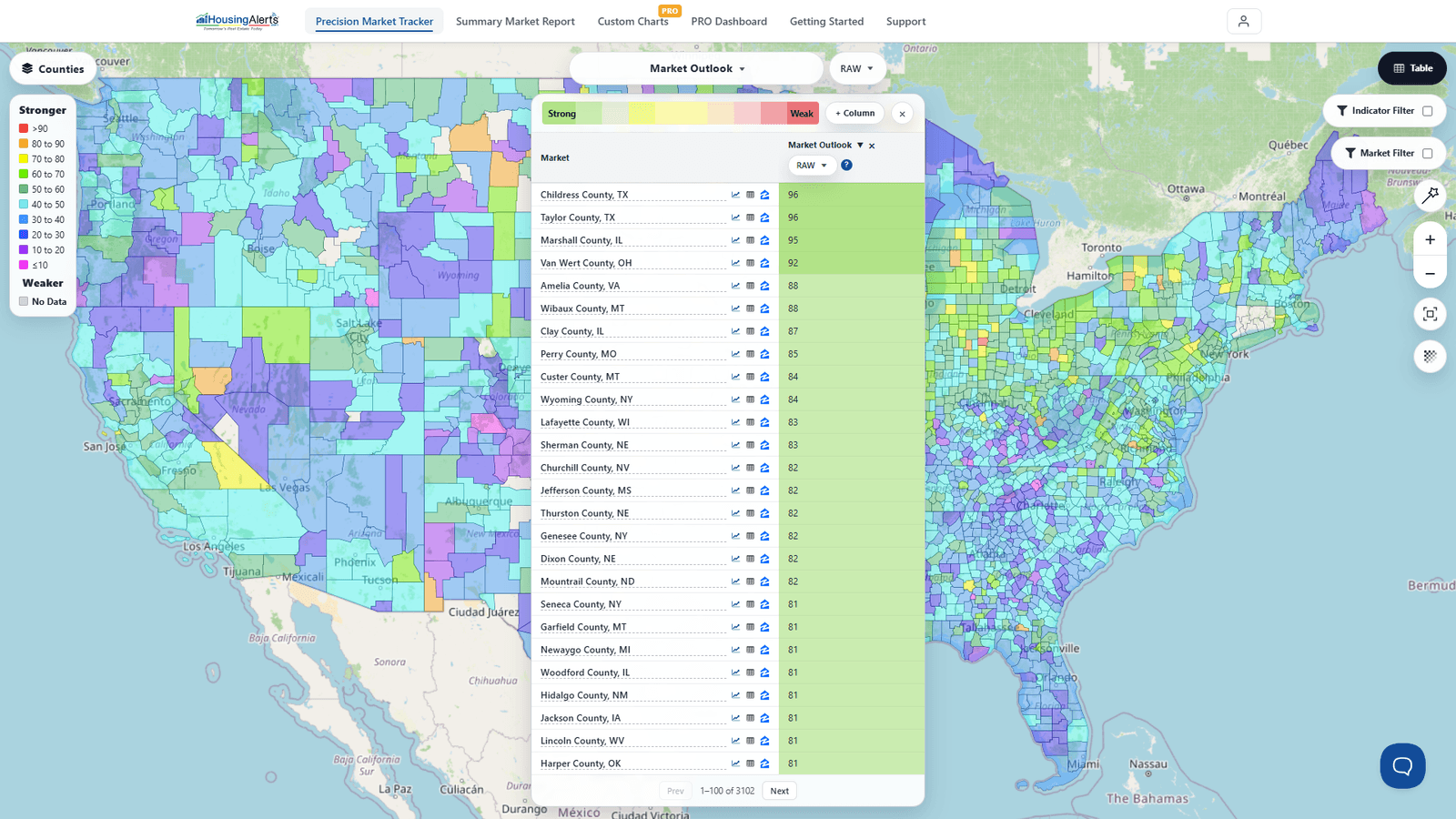
- Pick the indicator to rank on with the dataset picker — e.g. Market Outlook to rank on the forward-looking predictor, or an appreciation indicator (like Annual Home Price Appreciation) to rank on recent growth.
- Use the Market Filter to narrow to a specific State or Metro, so you're ranking the ZIPs or counties inside the larger market you care about.
- Read the ranking. In The Table, strong micro-markets are shaded green at the top; weak ones red at the bottom. A ZIP scoring above 90 is a top micro-market — and there are thousands of strong ZIPs nationwide, so don't think in terms of only one or two "best" ones.
- Click any market's row to Open Full Report or View Chart for that county or ZIP.
Read the CITY first, THEN drill down
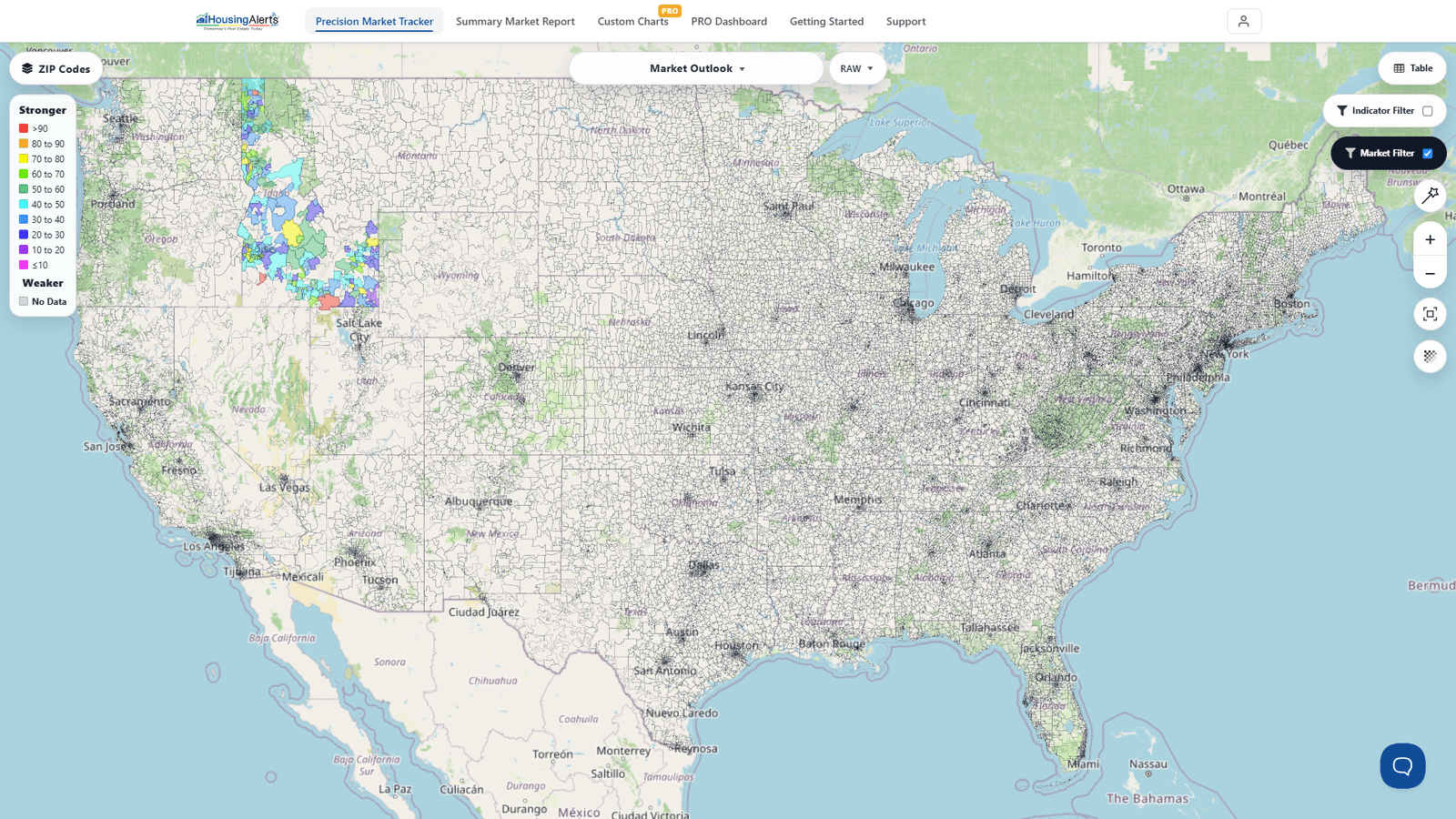
Do NOT use the micro-market levels as a stand-alone indicator. First determine the best Metro/City-level market, and only THEN drop to County or ZIP to find the strong "pockets" within it to target your mailers, marketing and acquisitions.
Micro-markets are not markets unto themselves — they're sub-markets that tend to follow what's happening at the city/metro level ("a rising tide lifts all boats"). Of course there are stronger pockets within a metro you should focus on, and weaker pockets you should avoid — and finding them in a few clicks is exactly what these micro-market levels are for.
When it comes time to flip the contract or sell, having property in a high-demand ZIP practically sells itself compared to the same property in a flat or declining pocket no one wants. If you do any prospecting or direct marketing, knowing which ZIPs to target — or avoid — is worth many times the membership in saved time and cash. That's the power of being able to GEO-TARGET all of your acquisition efforts.