
A Watchlist lets you keep your favorite markets in one place so you can track them over time. It lives in the classic My Market Tracker, which is still available to every member — you reach it from the members area (the "PRO Dashboard" link in the top navigation of the new Precision Market Tracker takes you there).
Add markets to your Watchlist in My Market Tracker
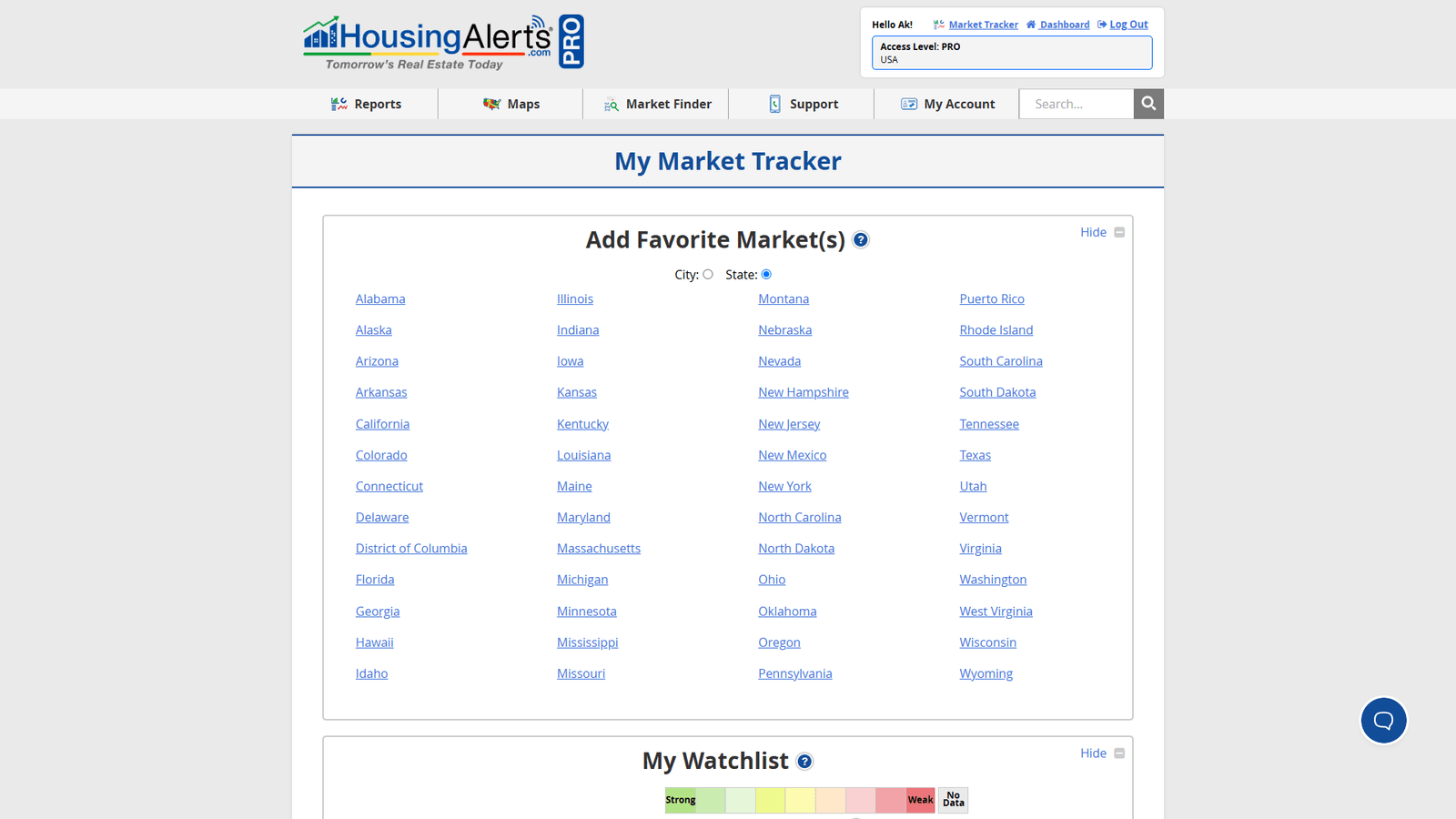
Open My Market Tracker and use Add Favorite Market(s):
- Pick a State, and a list of its markets appears — click the market you want to add it to your Watchlist.
- Or type the market name straight into the City / Search box and select it.
Your chosen markets are then saved to your Watchlist inside My Market Tracker, so they're waiting for you each time you come back.
Adding from the classic Hot Market Finder
If you're working in the classic Hot Market Finder (now a PRO/classic tool), you can also add a market to your Watchlist right from the results list: click the gray star next to a market name. The star turns blue when selected; click it again to remove the market and it reverts to gray. Anything you star collects in your My Market Tracker Watchlist.
Tracking markets on the new Precision Market Tracker
The new Precision Market Tracker doesn't have a one-click star yet — in The Table, each market row links out to View Chart, Open Full Report, and View on Zillow, rather than a favorite button. Until a native watchlist is added there, the best ways to keep tabs on a set of markets on the new platform are:
- Use the Market Filter to build and hold a custom set of markets you care about, then re-open that filtered view whenever you want to check on them.
- Bookmark each market's Market Summary Report (the report URL is market-specific), or keep them in your classic My Market Tracker Watchlist as described above.
Note for the product team: the per-market Watchlist / favorite-star exists only in the legacy My Market Tracker and Hot Market Finder — the new Precision Market Tracker has no equivalent yet. Worth confirming whether a native watchlist is planned so this article can point members to a single, current place.