
HousingAlerts uses two different color schemes, and knowing which is which prevents confusion:
- The Map uses the full color spectrum — all ~10 colors of the color wheel (from red through orange, yellow, green, cyan, blue, and on to purple/magenta). The wide spectrum makes it easy to see many fine gradations of hot/cold and strong/weak across thousands of markets at once. On the Map, the warmest colors (toward red) are the strongest markets and the coolest (toward purple/magenta) are the weakest.
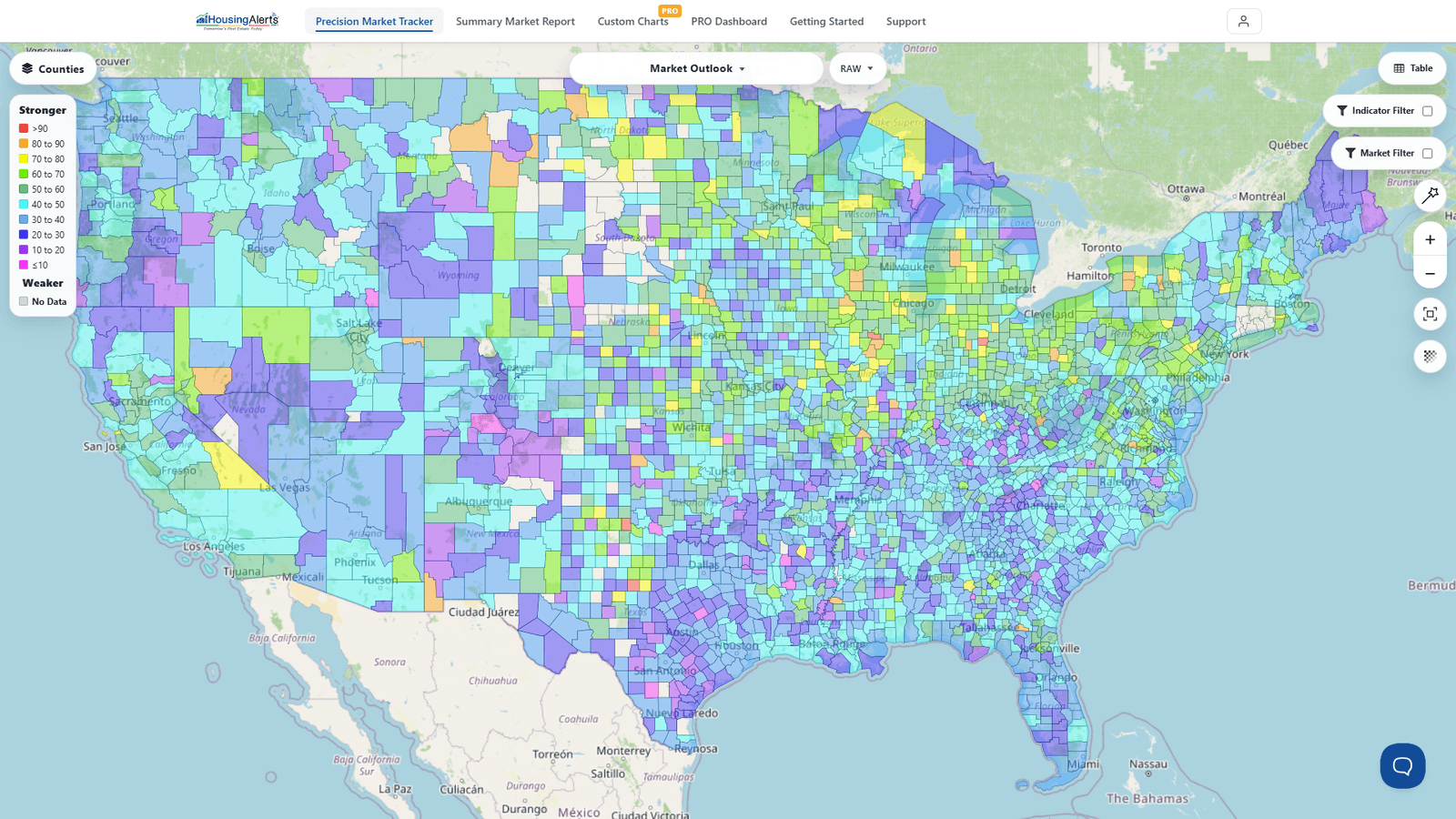
- Tables, Gauges, and S.T.A.R. circles use a simplified 'traffic-light' scheme — green (strong) → yellow (neutral) → red (weak). With fewer values to show, three colors are clearer than ten.
So the same underlying strength can look different depending on where you're viewing it:
| Component | Color scheme |
|---|---|
| Map Legend | Full spectrum (red → orange → yellow → green → blue → purple/magenta) |
| The Table | Traffic-light (green = strong → yellow → red = weak) |
| Gauges (Rank & RAW) | Traffic-light |
| S.T.A.R. Momentum circles | Traffic-light |
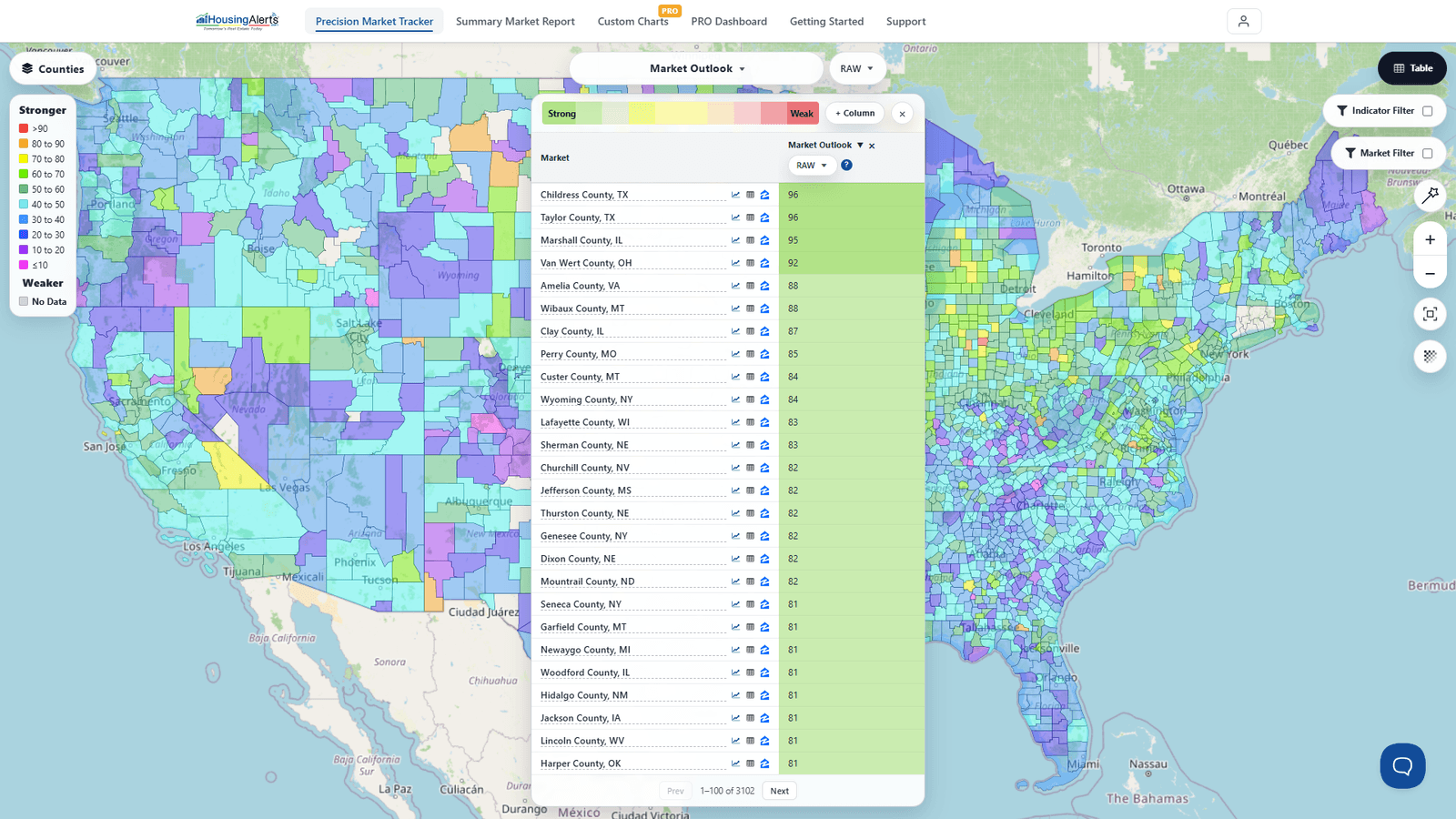
The key thing to remember: on the Map, red is strong; on the Table/gauges/S.T.A.R. circles, green is strong and red is weak. They're two deliberately different visual languages for two different jobs — a broad heatmap vs. a quick at-a-glance signal.