
You can pinpoint and rank EVERY real estate market in your subscription using multiple, proven, back-tested indicators. On the new platform this is The Table inside the Precision Market Tracker — the modern home of the classic Hot Market Finder, and one of the most powerful tools in HousingAlerts.
What changed: The old "Hot Market Finder" and its "Master Score" are now The Table and the Market Outlook Score. The old star-to-watchlist step lives in the classic My Market Tracker (see the Create A Watchlist FAQ) — in The Table, each market row instead links straight to its Full Report, its Chart, and Zillow.
Opening The Table
- Go to the Precision Market Tracker (the main tools screen).
- Click the Table button (top-right of the map) to slide open the ranked list of markets.
By default the map is a best-to-worst heatmap; The Table turns that same data into a sortable, ranked list you can read top-to-bottom.
Ranking every market
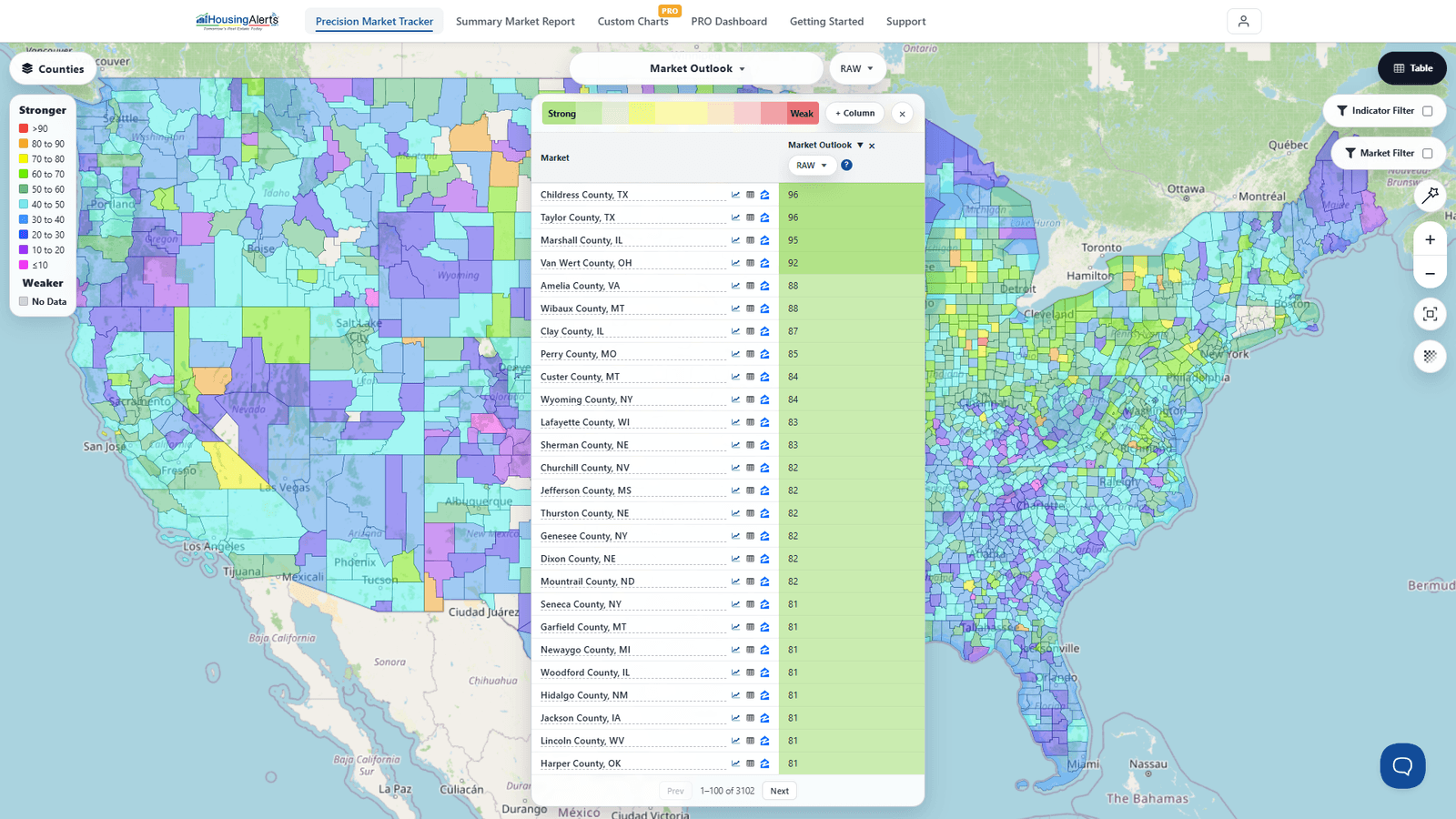
Open the dataset picker and choose Market Outlook (under Technical Predictors) to rank on the flagship forward-looking predictor — the modern "Master Score." The Table then lists every market in your subscription, strongest at the top.
- Read the ranking. Each row shows a market and its score. The strongest markets are shaded green at the top; the weakest are shaded red at the bottom (red/green is used here in The Table — the map itself is a best-to-worst heatmap, not red/green).
- Change what you rank by. Use the dataset picker to rank on any indicator — Market Outlook, a strategy score, appreciation, cash flow, and more. Add columns with + Column to compare several indicators side by side.
- Sort. Click a column header to sort high-to-low or low-to-high.
- Drill into a market. Each row links to Open Full Report (the Market Summary Report), View Chart (Custom Charts PRO), and View on Zillow.
Reading the scores
The Market Outlook Score is the single best indicator if you only want to look at ONE number — a proprietary algorithm that integrates all of the underlying data (including T.A.P.S. and S.T.A.R.) into one forward-looking score. A score of 95 means this market is stronger than 95% of markets on that indicator. Use it alongside the T.A.P.S., S.T.A.R. and Wealth Phase views in the Market Summary Report — never as a stand-alone number.
Watch for big movers: markets whose Market Outlook is climbing fast are possible early-stage emerging markets; sharp drops flag markets rolling over. The color spread from strong (top, green) through the middle of the pack down to weak (bottom, red) is exactly how you spot early emerging vs. declining markets at a glance.
Refining your results
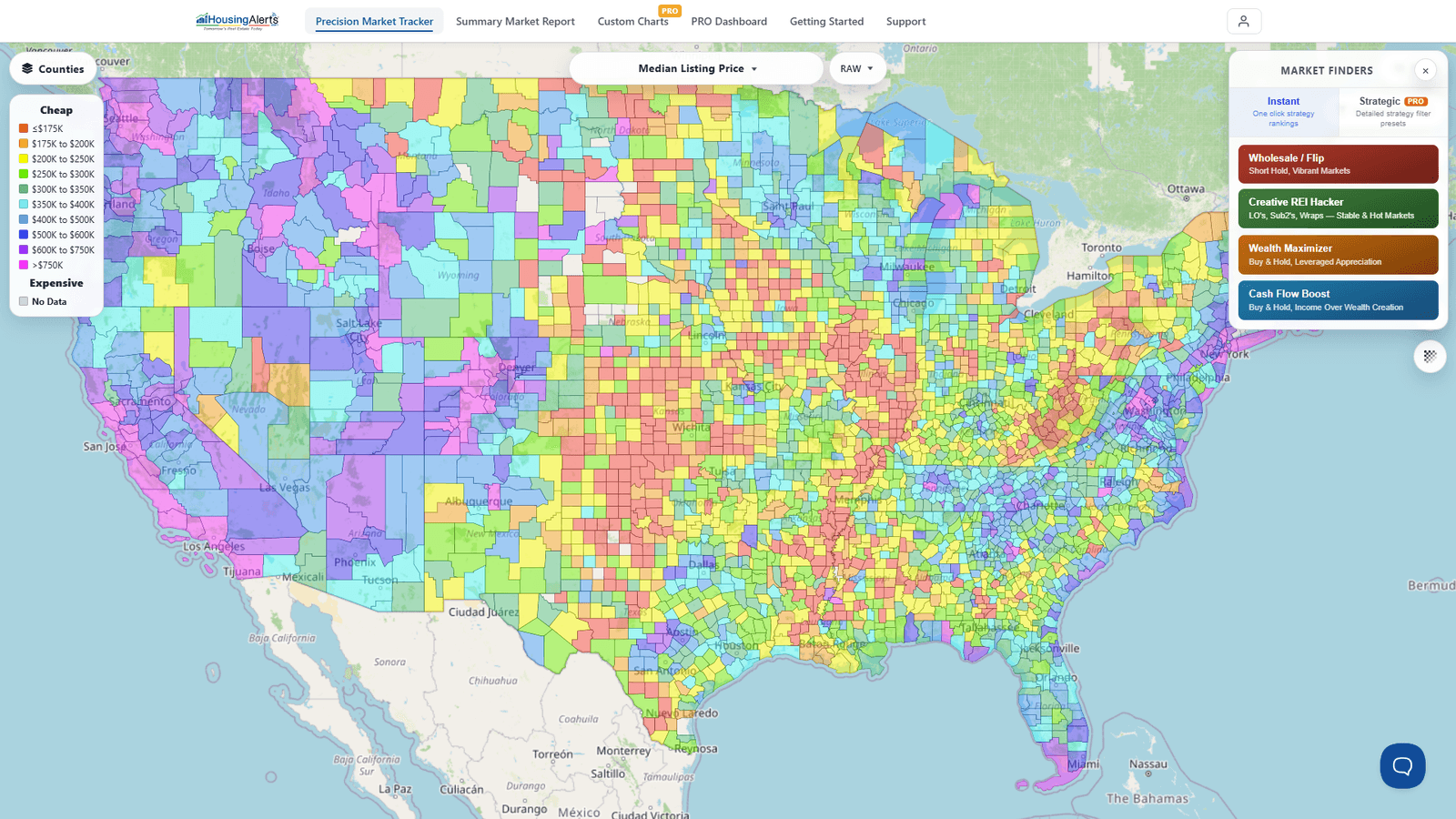
Use the Market Filter and Indicator Filter (top-right of the map) to narrow the field — for example, limit the ranking to a specific state or set of markets, the same way the old Hot Market Finder let you filter by population and screen out "statistically noisy" small markets. Smaller markets with few home sales can carry more statistical noise, so tightening the filter to larger markets gives the most reliable ranking.
Drilling down after you find a market
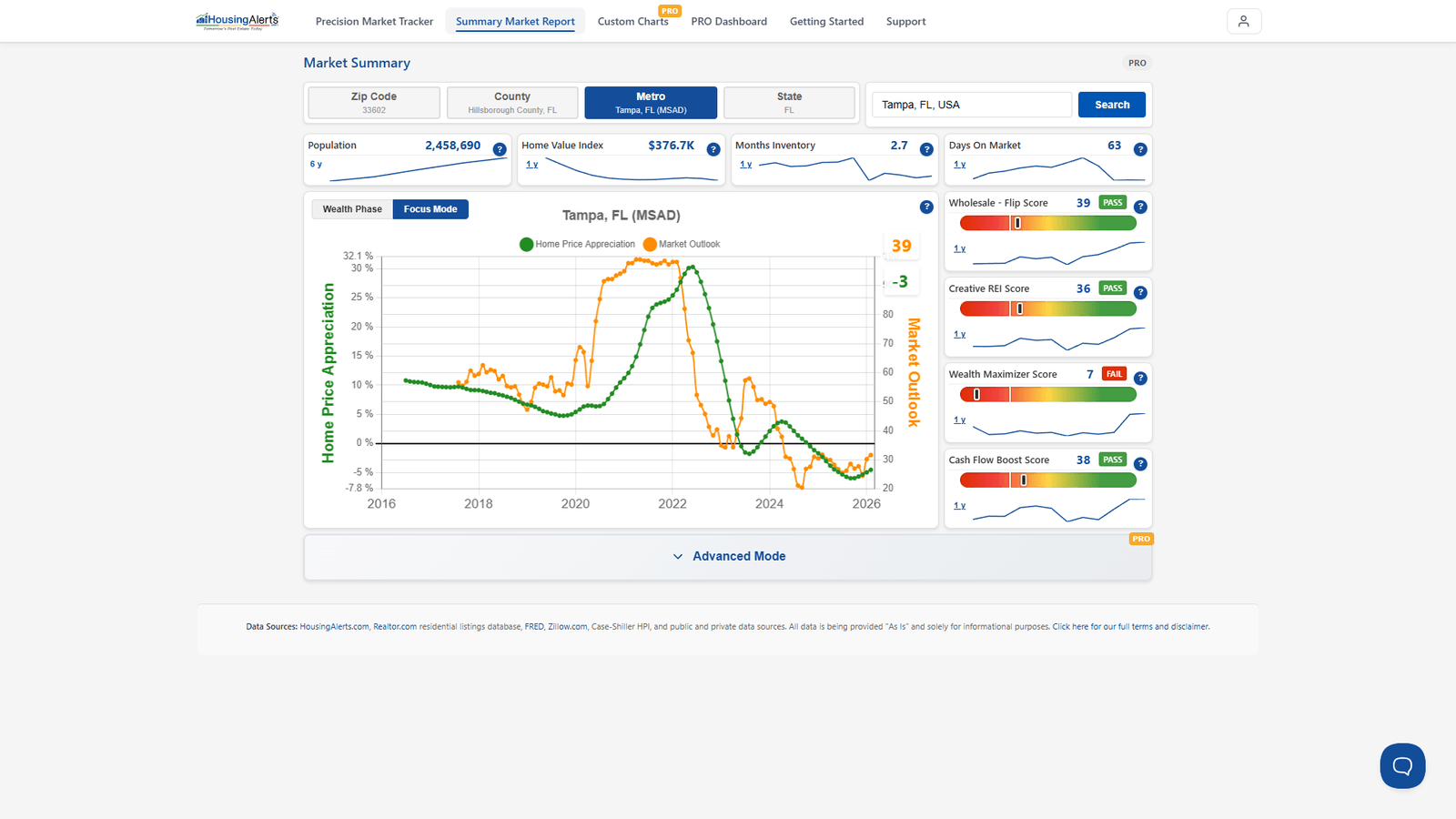
Once you've identified a hot market, drill in to learn its momentum, strength, and wealth phase. Click Open Full Report on that market's row to jump to its Market Summary Report — Market Outlook, Wealth Phase, the strategy scores (PASS/FAIL), and (in Advanced Mode) the S.T.A.R. Momentum and T.A.P.S. Local Score gauges. That report is where the ranking turns into a buy/hold/avoid decision.