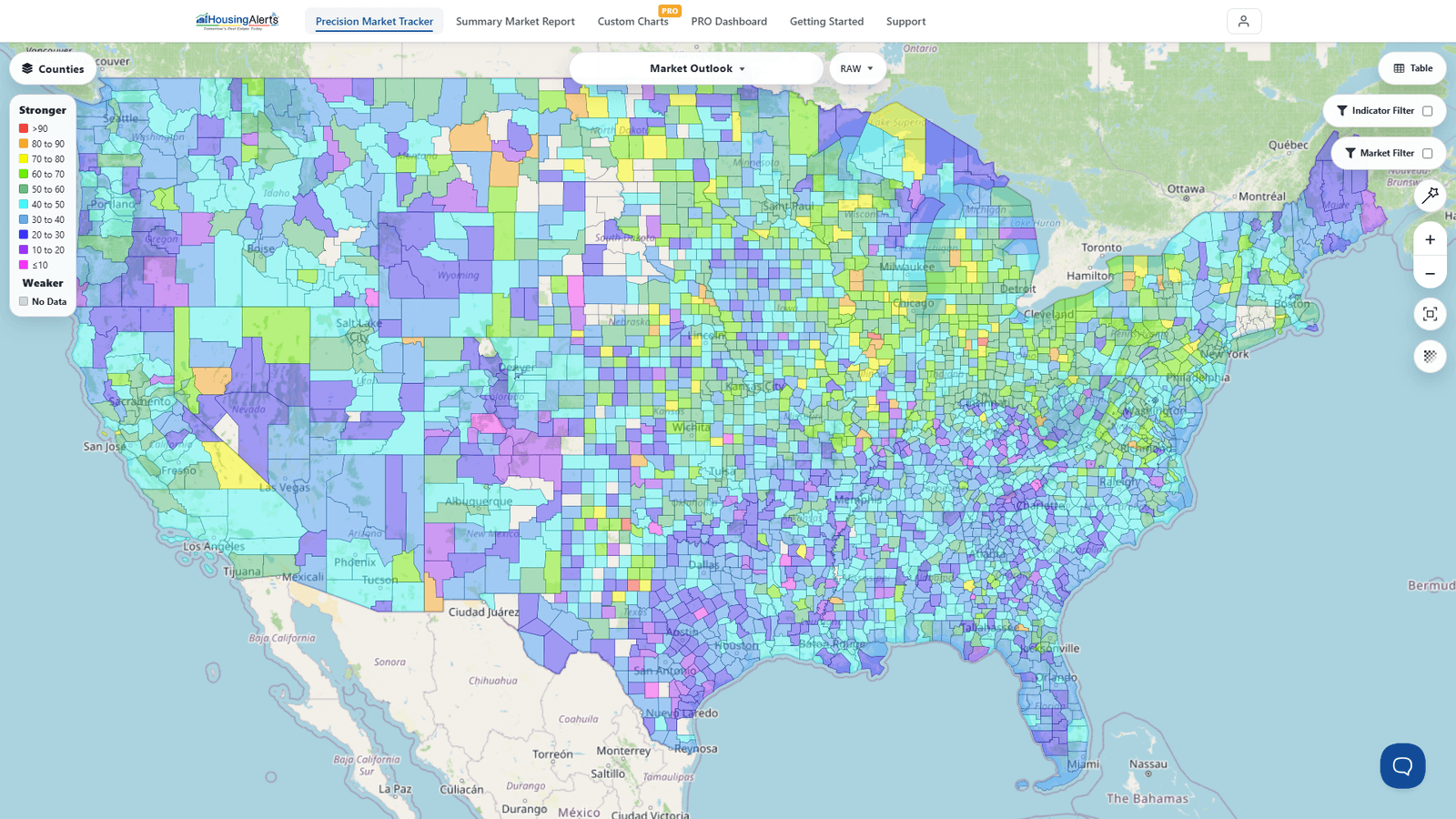
Update: the D.R.E.A.M. Map was merged into "Metro Maps," and on the new platform both are now simply the Map inside the Precision Market Tracker. You get the same appreciation heat-mapping, plus the ability to switch geography levels and click straight through to any market's report.
Question: Looking at the appreciation map's national display, why do I sometimes see two shades of the same color in one state (for example, a light blue and a lighter/whiter blue in South Dakota)? Is that accurate to the Legend?
Answer: What you're seeing is the difference between City/MSA-level color and State-level color.
Where there are enough data points / sales transactions (i.e. a major city), we show specific analysis for that market — a darker shade of the color. In other areas of the state where the sample size (home sales) isn't large enough for a reliable local read, we show the overall State data in a lighter shade. The dark-shade / light-shade contrast is simply how we distinguish city-level from state-level data.
So in South Dakota, the light blue (state) and the darker shade of the same blue (city) mean the same appreciation range — they're just at different geography levels. Because SD is so rural, most residential real estate is in a few large cities, so the state's overall appreciation closely tracks those cities.
On the new platform you avoid the ambiguity entirely: use the geography-level selector to view the Map purely at the State, Metro, County, or ZIP level, so every shaded area is the same kind of market. Markets without enough transactions for a valid read show as No Data (grey) rather than a lighter shade.